Starfish
Helping you stay on track from start to finish
Starfish helps you stay on track and connect with your navigator, instructors and services.
- Appointments – Schedule an appointment with your navigator. Some SFCC instructors and staff also use Starfish for students to schedule appointments during their support hours.
- Services – Locate SFCC campus services for questions or help.
- Courses – Check progress and grades in current courses as often as needed.
- Kudos – Get inspired by feedback from people who recognize your hard work and effort.
- Concern Flags – Receive immediate notification when there’s a concern about your progress in a course.
Schedule an Appointment with Your Navigator
If you will be attending SFCC’s extended campus site in Clinton, please contact your navigator by phone or email to schedule an appointment.
Follow the steps below to schedule an appointment in Starfish:
Step 1: Go to https://sfccmo.okta.com/ to log into OKTA.
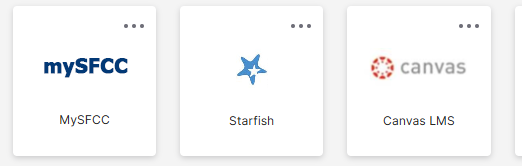
Step 2: Click the Starfish chicklet.
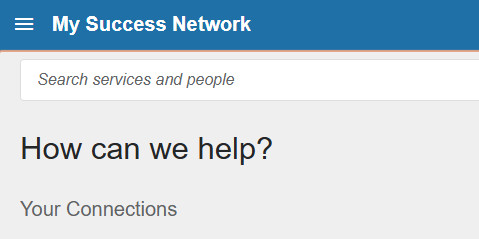
Step 3: On the My Success Network page under Your Connections, locate the individual.
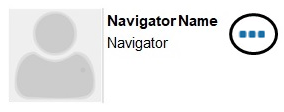
Step 4: Click the three dots by their name. Then, click Schedule.
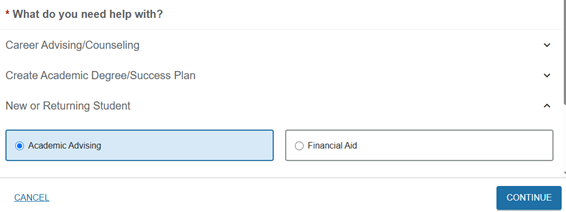
Step 5: Select an option for what you need help with during the appointment. Then, click Continue.
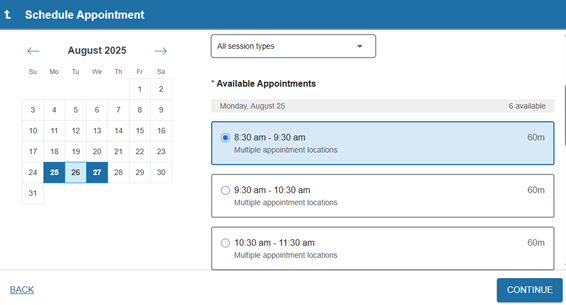
Step 6: Review the calendar to select a day and time both individuals are available to meet. Click Continue.
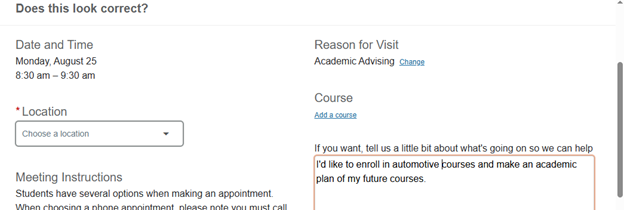
Step 7: Select the location of the appointment. Review the meeting instructions for each location type. Add additional details about the reason for scheduling an appointment. Click Confirm.
Check your SFCC student email through OKTA for a meeting confirmation and instructions. You will also receive an email with a cancellation notice if the individual is unable to meet on the scheduled date and time.
Please contact the Student Success Center at (660) 530-5831 or email success@sfccmo.edu with questions.